



What would you like to do?


BenQ RD240Q WQXGA 24.1" IPS QHD Programming Monitor
SKU: 9H.LLXLA.TBE
Quickfind code : 1939763
Product highlights
- 24.1-Inch Screen: Perfect size for coding and multitasking comfortably
- 2560 x 1600 Resolution: Detailed visuals with added vertical screen space
- IPS Panel: Wide viewing angles and accurate colours for enhanced clarity
- Coding Modes: Improved font clarity reduces eye strain for long coding sessions
- Display Pilot 2 Software: Custom settings and shortcuts for an efficient workflow

F rated for energy efficiency
Product Description
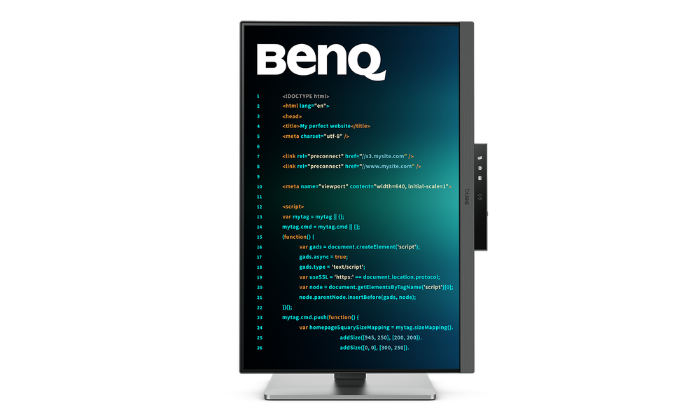
Crystal-Clear Coding, Glare-Free Brilliance
Crafted for Coders: BenQ Programming Monitors offer you full immersion in your code no matter where you are.
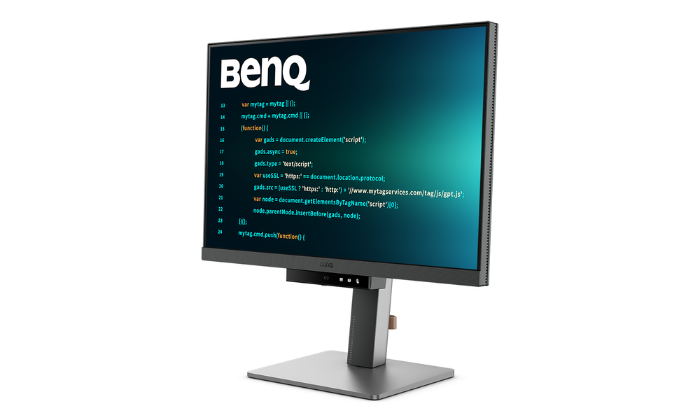
Superior Code Differentiation
BenQ's advanced coding modes ensure crystal-clear fonts and improved code differentiation, reducing eye strain during prolonged use.
Code with Comfort and Efficiency
Offer both dark and light themes for adaptable coding environments. Swiftly adjust brightness, sharpness, and contrast for optimal coding conditions.
Take Control of Display Settings with Display Pilot 2
Display Pilot 2 is designed to meet your needs. Users can arrange preferred functions with ease, including Shortcuts, Desktop Partition, Application Mode, Software Dimming, Circadian Mode, and more.
Assign Different Modes to Applications
Application Mode makes it easy to assign different color modes and remembers your frequently-used settings for your applications. Bind your IDE with the RD series' advanced coding modes for the optimal state of flow!
Intelligent Circadian Displays for Comfortable Eyes
BenQ Low Blue Light Plus includes Circadian Mode, which automatically adjusts your screen's color temperature throughout the day, mirroring the natural sunrise to sunset cycle. Enjoy eye comfort worry-free.
Boost Efficiency with Display Pilot 2 Shortcuts
The Exclusive Shortcuts feature allows you to easily bind commonly used functions to the hotkeys. With Display Pilot 2, copying and pasting shortcuts is no longer limited to one set at a time; it conveniently remembers two sets of content at once, enhancing efficiency.
Optimisation for Maximum Physical Comfort
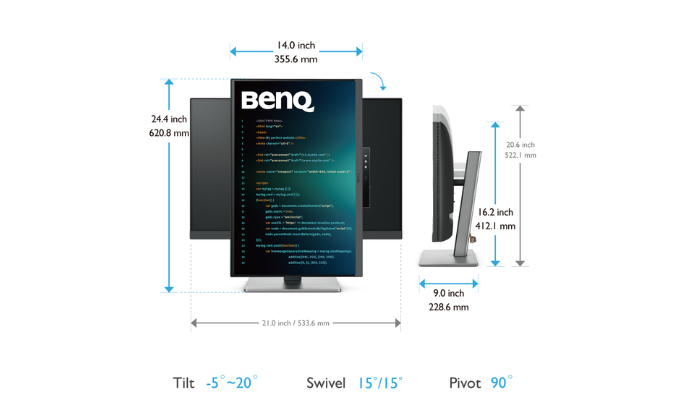
Enhance your coding workspace with adjustable height, tilt, pivot, and swivel capabilities for optimal efficiency and comfort.
Optimal Posture, Superior Output
Relieve prolonged neck and body aches. BenQ Programming Monitors prioritise your comfort for long-term projects.
Coders' Dream Desk Setup : Comfort and Flexibility at Its Core
Create your personalised workspace and fully enjoy it.
Endless Horizons, Intuitive Workflows
Whether it's multi-screen integration or single-screen data comparison, a BenQ Programming Monitor meets your multitasking needs.
Achieve More and Scroll Less
With a rare 16:10 ratio design, RD240Q is crafted for coders to provide them with an expansive field of view.
Seamless Connectivity with Easy Plug and Play
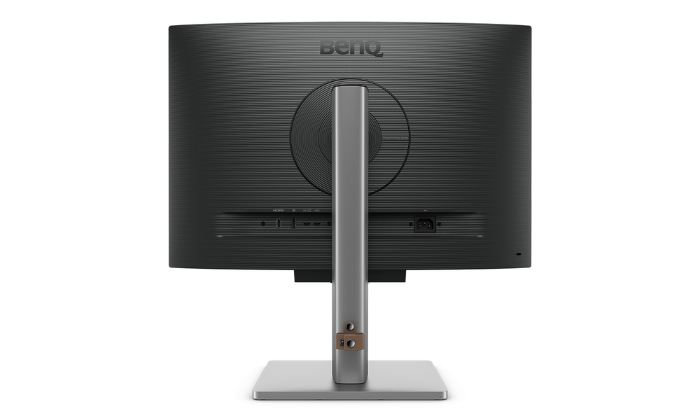
BenQ Programming Monitors offer ample port options, including USB Type-C for all-in-one connectivity.
Daisy Chain with the 90W USB Type-C
Multi-Stream Transport Technology allows you to extend screens across multiple displays using USB Type-C. The 90W USB Type-C carries images, videos, and other data seamlessly, plus it charges your mobile devices at the same time, all with one cable.
Please note that Mac® and MacBook® devices only support daisy chaining via Thunderbolt. Daisy chaining is not supported via HDMI or using regular USB ports on any device. Also, you can only connect a single external display using a Mac device with the M1 or M2 chips. For more information about connecting different models of Mac devices to external displays, please refer to the Apple website.
Coding Hotkey and Function Bar
Effortlessly boost productivity with our unique Coding HotKey and Function Bar designs. With a swift press of the Coding HotKey at the heart of the function bar, immerse yourself instantly into the coding realm.
Keep Your Eyes Fatigue-Free
Experience unmatched eye comfort during night hours with our Night Hours Protection and advanced Brightness Intelligence Gen2. BenQ Eye-Care Technology is dedicated to enhancing your visual comfort.
Night Hours Protection
Discover enhanced eye protection in dark with our Night Hours Protection. Its intelligent ambient light detection and auto-switch capabilities require minimal user intervention, ensuring effortless and consistent eye care.
Brightness Intelligence Gen2
BenQ B.I. Gen2 detects the brightness in the environment and automatically adjusts the screen brightness, giving you more customization and care for your eyes.
Code with Refreshed Eyes
For over a decade, BenQ leading Eye-Care Technology has safeguarded your eye health and provided comfort during long hours of screen time. Global safety authority TÜV Rheinland certifies RD240Q's Flicker-Free and Low Blue Light as truly friendly to the human eye. Eyesafe 2.0 certification ensures that the display reduces blue light while maintaining vivid color.
BenQ’s Green Commitment : A Vision of Sustainability
BenQ prioritizes eco-friendly practices in our product development, underlining our commitment to sustainability. BenQ Programming Monitors incorporate eco-friendly technology, recycled materials, and an energy-efficient design.
85% PCR
The housing of monitors is made with 85% PCR (Post-Consumer Recycled) materials, contributing to environmentally conscious production practices.
Recyclable Cardboard Packing
We package our monitors in recyclable cardboard, minimizing our environmental impact and promoting eco-friendliness.
Auto Power Off
The Auto Power Off of our feature allows users to automatically power down the screen after 10, 20, or 30 minutes of inactivity, conserving energy and further promoting sustainability.
EcoPrivacy
Save power and safeguard screen privacy effortlessly with our feature that automatically dims your monitor during inactivity.
Specification
General
|
Brand
|
BenQ |
|---|---|
|
Condition
|
New |
|
Manufacturer Warranty
|
3 year warranty |
Display
|
Screen Size (diagonal)
|
24.1" |
|---|---|
|
Maximum resolution
|
2560 x 1600 |
|
HD type
|
WQXGA |
|
Refresh Rate
|
60Hz |
|
Maximum Refresh Rate
|
60Hz |
|
Response time
|
5MS |
|
Screen shape
|
Flat screen |
|
Aspect Ratio
|
16:10 |
|
Panel type
|
IPS |
|
Display technology
|
LCD |
|
Typical Display Brightness
|
300cd/m2 |
|
Number of colours
|
1.07 billion colours |
|
Colour gamut
|
95% |
|
Colour gamut standard
|
DCI-P3 |
Features
|
Anti-glare screen
|
Y |
|---|---|
|
Built-in USB hub
|
Y |
|
Flicker-free technology
|
Y |
|
Low Blue Light technology
|
Y |
|
HDR
|
Y |
|
HDR Technology
|
High Dynamic Range 10 (HDR10) |
|
Speakers
|
Y |
|
Number of speakers
|
2 |
Gaming Features
|
Console Compatible
|
Xbox and Playstation Compatible |
|---|
Ports
|
HDMI Ports
|
1 |
|---|---|
|
HDMI Type
|
2.0 |
|
DisplayPorts Total
|
1 |
|
DisplayPort version
|
1.4 |
|
VGA Ports
|
0 |
|
Mini DisplayPorts
|
0 |
|
USB Ports
|
3 |
|
USB Type-A Power Delivery Ports
|
3 |
|
USB-C Ports Total
|
1 |
|
USB Type-C Power Delivery Ports
|
1 |
|
USB Power Delivery
|
Y |
|
USB Power Delivery (W)
|
90W |
Ergonomics
|
Height adjustment
|
Y |
|---|---|
|
Max. Height Adjustment
|
110mm |
|
Tilt
|
Y |
|
Tilt angle range
|
-5 - 20 |
|
Swivel
|
Y |
|
Swivel angle range
|
-15 - 15 |
|
Pivot
|
-45 - 45 |
|
Horizontal Viewing Angle
|
178 |
|
Vertical Viewing Angle
|
178 |
Physical
|
Width
|
54cm |
|---|---|
|
Depth
|
23cm |
|
Height
|
36cm |
|
Heigh (With Stand)
|
522.1mm |
|
Weight
|
7.6kg |
|
Wall Mounting (VESA)
|
100 x 100mm |
What's In The Box
|
Cables included
|
Power |
|---|
Related Products
Recently Viewed Products

Price checked
In Stock - Delivery from tomorrow 2 hrs, 46 mins, 40 secs
Collect from Huddersfield on 3rd June or Collect from Castle Donington on 9th June
FREE Delivery to most of the UK
Our price:
Lowest monitored competitor price:
Price checked:
We check our prices daily against competitors including AO, Currys, Argos, Very, John Lewis & Marks Electrical to give you the best price in the market
Terms & conditions apply